
Habits
Your last eight days, each row in its habit’s colour. One look over coffee tells you where the week stands.
Ritlum mini · Coming soon
A physical habit tracker for your desk. It turns your last eight days into light, so you can see how you’re doing without picking up your phone.
Ritlum mini
Eight habits
over eight days.
Reading the grid
A lit square means you completed that habit that day. Gaps show what’s slipping.
Logging a habit
Log a habit in the Ritlum app and its light appears on mini a moment later. It stays lit after you put your phone down.


Watch today’s column fill, one habit at a time.
NFC check-ins
Stick an NFC tag on something you already use: the kettle, your running shoes, the book on your nightstand. Tap it with your iPhone to log the habit and mini lights up. Five tags come in the box.
Morning to midnight
Your last eight days, each row in its habit’s colour. One look over coffee tells you where the week stands.
Switch to a white pixel clock. The time scrolls across the grid and keeps running on mini once it’s synced.
Turn it down for the evening with a slider in the app. Mini remembers the setting.
Pick when it dims and when it wakes. Mini goes fully dark overnight and comes back on by itself, even with your phone in another room.


The Ritlum app
Mini is configured from the Ritlum app for iPhone. You choose which habits it shows and adjust its settings there.
Choose up to eight habits and drag them into order, or match your Home screen. A live preview shows mini as it looks right now.

Brightness, clock mode, the sleep schedule and firmware updates all live in the Tracker tab.

Set when mini dims and when it wakes. It runs the schedule on its own, without your phone.

Also in the app
Goals you can count or time, history and stats, a Home Screen widget, reminders, and sync across your devices with Sign in with Apple. More about the app

Connected without the cloud
Mini talks directly to the Ritlum app on your iPhone. It doesn’t need its own account, Wi-Fi network or cloud service to do its job.
Habit history, colours, brightness, clock mode and the sleep schedule go straight from your iPhone to mini.
Your last display and settings are stored on mini. Unplug it, plug it back in, and it picks up where it left off.
When new firmware is out, the app downloads it and installs it on mini over Bluetooth.
No microphone, no camera, no Wi-Fi. Mini only knows what the app tells it about your habits.
Finishes
Each case is 3D printed in matte PLA and assembled by hand.
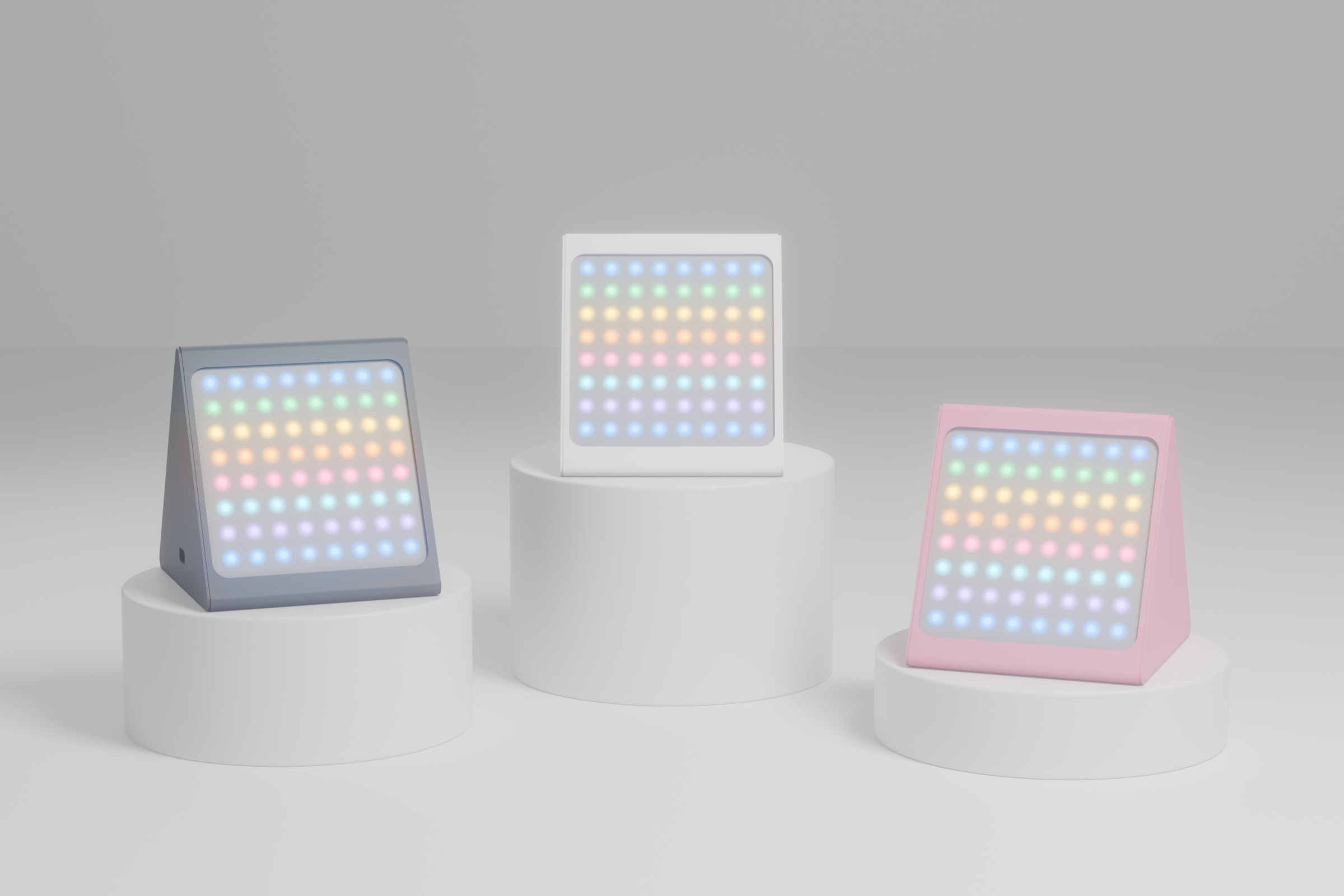

Setup
Connect USB-C. Mini says hello with a sweep of colour across its middle rows.
Open the Device tab in Ritlum with your iPhone nearby. Mini blinks a row so you know you’ve found the right one.
Pick up to eight habits. Your last eight days appear straight away, and every check-in after that shows up on its own.
Details
The first run is ten units, printed and assembled by hand in Germany.
Questions
No. Mini connects to the Ritlum app on your iPhone over Bluetooth. It has no Wi-Fi and no account of its own.
Mini keeps showing your habits. Your display and settings are stored on the device, and the sleep schedule keeps running. New check-ins appear the next time your iPhone is in range.
It comes back to the same habit view, brightness and sleep schedule when you plug it in again. The clock is set again automatically the next time the app connects.
No. Mini is set up and updated through the Ritlum app, which is only available for iPhone for now.
Up to eight, one per row, across your last eight days with today on the right. You choose which habits appear and in what order.
No. Mini works with the free Ritlum app. Pairing, the habit grid, clock mode, brightness, the sleep schedule and firmware updates are all included.
Five come in the box, but they’re optional. Tap one with your iPhone to log a habit, or check in from the app or the widget as usual.
Yes. In the app’s Device tab, tap the tracker’s status line five times and mini turns into a tiny game of Snake, played on its 64 lights.

Coming soon. The first run is ten units.